Overview
This tutorial builds the smallest useful CRM64Pro graphical application. The program opens a 960x540 window, loads a background image and a ship image, moves the ship with the cursor keys and renders everything from the main loop.
It introduces the setup pattern used by later tutorials: initialize memory tracking, access Main and the core managers, configure logging, initialize timing, create the screen, process input through Main::update(), run fixed-rate logic and release resources cleanly.
Final result
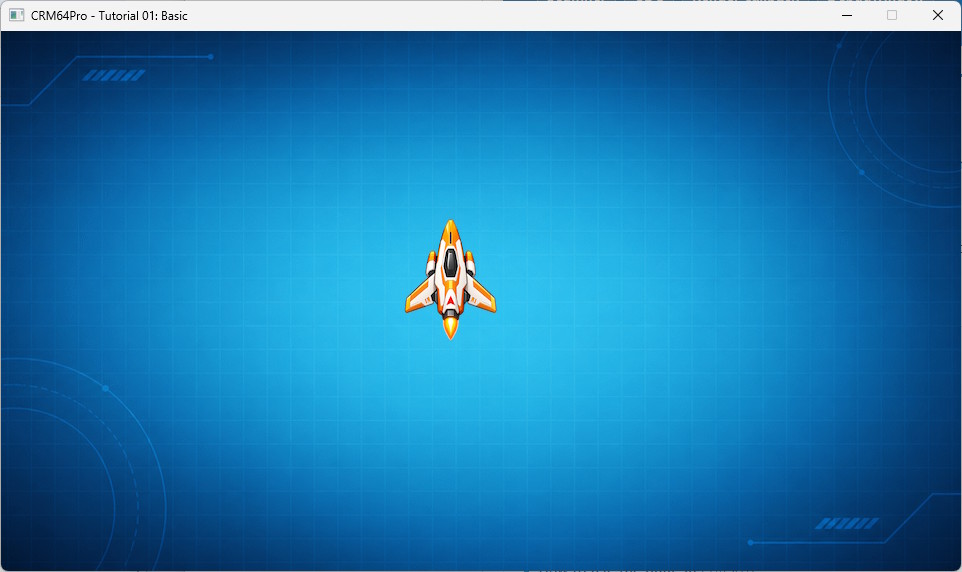
CRM64Pro Tutorial 01 final result
Runtime controls
- Cursor keys: Move the ship image.
- S: Save Tutorial_01_Basic-Snapshot.png.
- Any key or mouse click: Write the input event to the log.
- Q or ESC: Exit the tutorial.
Prerequisites
What you will learn
- Start CRM64Pro memory tracking with CMem.
- Access Main and the core managers.
- Configure Log, Timer and Screen.
- Load PNG images with ImageMgr::loadFromFile().
- Read SDL keyboard and mouse events through Main::update().
- Update movement and render images at a fixed rate.
Step by step
1. Select the renderer and start memory tracking
The example first reads the renderer command-line option. It then enables CRM64Pro memory tracking before any engine resources are created.
eConfigRendererDriver eRenderer = CRD_SOFTWARE;
if(!runParameterReadRender(argc, argv, eRenderer)) return 1;
CMem::setStatsLevel(CMem::MSL_NORMAL);
atexit(CMem::destroy);
2. Access Main and configure logging
Main::instance() provides access to the engine managers. The default log writes to standard output and to the platform-specific tutorial output directory.
Main& mC64 = Main::instance();
Log& mLog = *mC64.logMgr().get();
TutorialState state;
mLog.init("Tutorial_01_Basic", LL_DEBUG, LM_FILE | LM_STDOUT, OUTPUTDIR"Tutorial_01_Basic.log");
3. Initialize timer and screen
The timer is initialized before the main loop. This first tutorial updates and renders at the same fixed rate of 20 frames per second. Later tutorials separate fixed-rate logic from rendering through a screen callback.
mLog.msg(LL_INFO, " Initialize timer ... ");
if(!mC64.timer().init())
{
logTaskFailed(mLog);
Main::terminate();
return -1;
}
logTaskOk(mLog);
mLog.msg(LL_INFO, " Set frame rates (render=%d, logic=%d) ... ", iRenderRate, iLogicRate);
if(!mC64.timer().setRate(iRenderRate, iLogicRate))
{
logTaskFailed(mLog);
Main::terminate();
return -1;
}
logTaskOk(mLog);
mC64.configMgr().setMTFriendly(1);
Screen* pScreen = mC64.configMgr().get();
pScreen->setSize(iScreenW, iScreenH);
pScreen->setDriver(eRenderer);
pScreen->setTitle("CRM64Pro - Tutorial 01: Basic");
mLog.msg(LL_INFO, " Create screen (%dx%d) ... ", iScreenW, iScreenH);
if(pScreen->show() < 0)
{
mLog.msg(LL_CRITICAL, "FAILED\n");
Main::terminate();
return -1;
}
logTaskOk(mLog);
4. Load external images
The background and ship are loaded from PNG files. Every resource ID and object pointer is validated before the tutorial enters its main loop.
mLog.msg(LL_INFO, " Load background image: %s ... ", RESOURCE_BG_IMAGE);
state.idBgImage = mC64.imageMgr().loadFromFile(RESOURCE_BG_IMAGE, "tutorialBasicBg");
if(state.idBgImage < 0)
{
logTaskFailed(mLog, state.idBgImage);
Main::terminate();
return -1;
}
logTaskOk(mLog);
mLog.msg(LL_INFO, " Load ship image: %s ... ", RESOURCE_PLAYER_IMAGE);
state.idPlayerImage = mC64.imageMgr().loadFromFile(RESOURCE_PLAYER_IMAGE, "tutorialBasicPlayer");
if(state.idPlayerImage < 0)
{
logTaskFailed(mLog, state.idPlayerImage);
Main::terminate();
return -1;
}
logTaskOk(mLog);
mLog.msg(LL_INFO, " Access background image object ... ");
Image* pBgImage = mC64.imageMgr().get(state.idBgImage);
if(pBgImage == nullptr)
{
logTaskFailed(mLog);
Main::terminate();
return -1;
}
logTaskOk(mLog);
mLog.msg(LL_INFO, " Access ship image object ... ");
Image* pPlayerImage = mC64.imageMgr().get(state.idPlayerImage);
if(pPlayerImage == nullptr)
{
logTaskFailed(mLog);
Main::terminate();
return -1;
}
logTaskOk(mLog);
5. Process input
The main loop repeatedly calls Main::update() while input and render processing continues; a return value of 0 signals the next fixed logic step. Quit events stop the loop, cursor keys update movement flags and S saves a screen snapshot.
while(mC64.update(&event))
{
if(event.type == SDL_EVENT_QUIT)
{
bRunning = false;
}
else if(event.type == SDL_EVENT_KEY_DOWN)
{
mLog.msg(LL_INFO, " Key pressed: %s (%d)\n", SDL_GetKeyName(event.key.key), event.key.key);
if(event.key.key == SDLK_Q || event.key.key == SDLK_ESCAPE)
{
bRunning = false;
}
else if(event.key.key == SDLK_LEFT)
{
state.bMoveLeft = true;
}
else if(event.key.key == SDLK_RIGHT)
{
state.bMoveRight = true;
}
else if(event.key.key == SDLK_UP)
{
state.bMoveUp = true;
}
else if(event.key.key == SDLK_DOWN)
{
state.bMoveDown = true;
}
else if(event.key.key == SDLK_S)
{
mLog.msg(LL_INFO, " Save screen snapshot: %s ... ", OUTPUT_SNAPSHOT);
if(pScreen->saveSnapshot(OUTPUT_SNAPSHOT) == 0)
{
logTaskOk(mLog);
}
else
{
logTaskFailed(mLog);
}
}
}
else if(event.type == SDL_EVENT_KEY_UP)
{
if(event.key.key == SDLK_LEFT) state.bMoveLeft = false;
else if(event.key.key == SDLK_RIGHT) state.bMoveRight = false;
else if(event.key.key == SDLK_UP) state.bMoveUp = false;
else if(event.key.key == SDLK_DOWN) state.bMoveDown = false;
}
else if(event.type == SDL_EVENT_MOUSE_BUTTON_DOWN)
{
mLog.msg(LL_INFO, " Mouse clicked: button %d at %d, %d\n", event.button.button, (Sint32)event.button.x, (Sint32)event.button.y);
}
}
6. Update movement
updateLogic() converts movement flags into a per-step delta and clamps the ship position to the visible screen.
static void updateLogic(TutorialState& rState, Image* pPlayerImage, float fDeltaTime)
{
if(!pPlayerImage) return;
float fDX = 0.0f;
float fDY = 0.0f;
if(rState.bMoveLeft) fDX -= fMoveSpeed * fDeltaTime;
if(rState.bMoveRight) fDX += fMoveSpeed * fDeltaTime;
if(rState.bMoveUp) fDY -= fMoveSpeed * fDeltaTime;
if(rState.bMoveDown) fDY += fMoveSpeed * fDeltaTime;
const float fMaxX = static_cast<float>(iScreenW - pPlayerImage->getWidth());
const float fMaxY = static_cast<float>(iScreenH - pPlayerImage->getHeight());
rState.fPlayerX = clampFloat(rState.fPlayerX + fDX, 0.0f, fMaxX);
rState.fPlayerY = clampFloat(rState.fPlayerY + fDY, 0.0f, fMaxY);
}
7. Render the frame
The frame is drawn directly from main(): the background first, followed by the ship at its current position.
static void renderFrame(Image* pBgImage, Image* pPlayerImage, const TutorialState& rState)
{
if(pBgImage) pBgImage->render();
if(pPlayerImage)
{
SDL_FRect rDst = {
rState.fPlayerX,
rState.fPlayerY,
static_cast<float>(pPlayerImage->getWidth()),
static_cast<float>(pPlayerImage->getHeight())
};
pPlayerImage->render(0, nullptr, &rDst);
}
}
8. Complete the fixed step
After processing pending events, the loop exits immediately if a quit request was received. Otherwise, it performs one logic update and draws the new state.
if(!bRunning) break;
updateLogic(state, pPlayerImage, 1.0f / static_cast<float>(iLogicRate));
renderFrame(pBgImage, pPlayerImage, state);
9. Release resources
The tutorial closes one image by ID, closes the remaining ImageMgr resources and then terminates the engine.
mC64.imageMgr().info();
mLog.msg(LL_INFO, "\nCLEANUP\n");
mLog.msg(LL_INFO, " Close ship image by id ... ");
mC64.imageMgr().close(state.idPlayerImage);
logTaskOk(mLog);
mLog.msg(LL_INFO, " Close remaining images ... ");
mC64.imageMgr().close(0);
logTaskOk(mLog);
Main::terminate();
Complete source
The tutorial source is authoritative. The following listing is included directly from validation/source/Tutorial_01_Basic.cpp.
#include "CRM64Pro.h"
#include "RunParameter.h"
#define BASEDIR "Base/"
#ifdef CRM64PRO_PLATFORM_WINDOWS
#define OUTPUTDIR "Win64/"
#elif defined(CRM64PRO_PLATFORM_LINUX)
#define OUTPUTDIR "Linux/"
#elif defined(CRM64PRO_PLATFORM_MACOS)
#define OUTPUTDIR "macOS/"
#endif
#define RESOURCE_BG_IMAGE BASEDIR"tutorial_bg.png"
#define RESOURCE_PLAYER_IMAGE BASEDIR"tutorial_ship.png"
#define OUTPUT_SNAPSHOT OUTPUTDIR"Tutorial_01_Basic-Snapshot.png"
static const Sint32 iLogicRate = 20;
static const Sint32 iRenderRate = iLogicRate;
static const Sint32 iScreenW = 960;
static const Sint32 iScreenH = 540;
static const float fMoveSpeed = 220.0f;
struct TutorialState
{
Sint32 idBgImage = -1;
Sint32 idPlayerImage = -1;
float fPlayerX = 386.0f;
float fPlayerY = 186.0f;
bool bMoveLeft = false;
bool bMoveRight = false;
bool bMoveUp = false;
bool bMoveDown = false;
};
static float clampFloat(float fValue, float fMin, float fMax)
{
if(fValue < fMin) return fMin;
if(fValue > fMax) return fMax;
return fValue;
}
static void logTaskOk(
Log& mLog)
{
}
static void logTaskFailed(
Log& mLog, Sint32 iCode)
{
mLog.msg(
LL_ERROR,
"FAILED (Code %d)\n", iCode);
}
static void logTaskFailed(
Log& mLog)
{
}
static void updateLogic(TutorialState& rState,
Image* pPlayerImage,
float fDeltaTime)
{
if(!pPlayerImage) return;
float fDX = 0.0f;
float fDY = 0.0f;
if(rState.bMoveLeft) fDX -= fMoveSpeed * fDeltaTime;
if(rState.bMoveRight) fDX += fMoveSpeed * fDeltaTime;
if(rState.bMoveUp) fDY -= fMoveSpeed * fDeltaTime;
if(rState.bMoveDown) fDY += fMoveSpeed * fDeltaTime;
const float fMaxX =
static_cast<float>(iScreenW - pPlayerImage->
getWidth());
const float fMaxY =
static_cast<float>(iScreenH - pPlayerImage->
getHeight());
rState.fPlayerX = clampFloat(rState.fPlayerX + fDX, 0.0f, fMaxX);
rState.fPlayerY = clampFloat(rState.fPlayerY + fDY, 0.0f, fMaxY);
}
static void renderFrame(
Image* pBgImage,
Image* pPlayerImage,
const TutorialState& rState)
{
if(pBgImage) pBgImage->
render();
if(pPlayerImage)
{
SDL_FRect rDst = {
rState.fPlayerX,
rState.fPlayerY,
static_cast<float>(pPlayerImage->
getWidth()),
static_cast<float>(pPlayerImage->
getHeight())
};
pPlayerImage->
render(0,
nullptr, &rDst);
}
}
int main(int argc, char* argv[])
{
if(!runParameterReadRender(argc, argv, eRenderer)) return 1;
TutorialState state;
mLog.msg(
LL_INFO,
"\nSETUP: screen and timing\n");
mLog.msg(
LL_INFO,
" Initialize timer ... ");
{
logTaskFailed(mLog);
return -1;
}
logTaskOk(mLog);
mLog.msg(
LL_INFO,
" Set frame rates (render=%d, logic=%d) ... ", iRenderRate, iLogicRate);
{
logTaskFailed(mLog);
return -1;
}
logTaskOk(mLog);
pScreen->
setSize(iScreenW, iScreenH);
pScreen->
setTitle(
"CRM64Pro - Tutorial 01: Basic");
mLog.msg(
LL_INFO,
" Create screen (%dx%d) ... ", iScreenW, iScreenH);
{
return -1;
}
logTaskOk(mLog);
mLog.msg(
LL_INFO,
"\nRESOURCES: external images\n");
mLog.msg(
LL_INFO,
" Load background image: %s ... ", RESOURCE_BG_IMAGE);
if(state.idBgImage < 0)
{
logTaskFailed(mLog, state.idBgImage);
return -1;
}
logTaskOk(mLog);
mLog.msg(
LL_INFO,
" Load ship image: %s ... ", RESOURCE_PLAYER_IMAGE);
if(state.idPlayerImage < 0)
{
logTaskFailed(mLog, state.idPlayerImage);
return -1;
}
logTaskOk(mLog);
mLog.msg(
LL_INFO,
" Access background image object ... ");
if(pBgImage == nullptr)
{
logTaskFailed(mLog);
return -1;
}
logTaskOk(mLog);
mLog.msg(
LL_INFO,
" Access ship image object ... ");
if(pPlayerImage == nullptr)
{
logTaskFailed(mLog);
return -1;
}
logTaskOk(mLog);
mLog.msg(
LL_INFO,
" [Q] / [ESC] Quit\n");
mLog.msg(
LL_INFO,
" [Arrow Keys] Move the ship image\n");
mLog.msg(
LL_INFO,
" [S] Save a screen snapshot\n");
mLog.msg(
LL_INFO,
" Any key or mouse button logs the input event\n");
SDL_Event event;
bool bRunning = true;
while(bRunning)
{
{
if(event.type == SDL_EVENT_QUIT)
{
bRunning = false;
}
else if(event.type == SDL_EVENT_KEY_DOWN)
{
mLog.msg(
LL_INFO,
" Key pressed: %s (%d)\n", SDL_GetKeyName(event.key.key), event.key.key);
if(event.key.key == SDLK_Q || event.key.key == SDLK_ESCAPE)
{
bRunning = false;
}
else if(event.key.key == SDLK_LEFT)
{
state.bMoveLeft = true;
}
else if(event.key.key == SDLK_RIGHT)
{
state.bMoveRight = true;
}
else if(event.key.key == SDLK_UP)
{
state.bMoveUp = true;
}
else if(event.key.key == SDLK_DOWN)
{
state.bMoveDown = true;
}
else if(event.key.key == SDLK_S)
{
mLog.msg(
LL_INFO,
" Save screen snapshot: %s ... ", OUTPUT_SNAPSHOT);
{
logTaskOk(mLog);
}
else
{
logTaskFailed(mLog);
}
}
}
else if(event.type == SDL_EVENT_KEY_UP)
{
if(event.key.key == SDLK_LEFT) state.bMoveLeft = false;
else if(event.key.key == SDLK_RIGHT) state.bMoveRight = false;
else if(event.key.key == SDLK_UP) state.bMoveUp = false;
else if(event.key.key == SDLK_DOWN) state.bMoveDown = false;
}
else if(event.type == SDL_EVENT_MOUSE_BUTTON_DOWN)
{
mLog.msg(
LL_INFO,
" Mouse clicked: button %d at %d, %d\n", event.button.button, (Sint32)event.button.x, (Sint32)event.button.y);
}
}
if(!bRunning) break;
updateLogic(state, pPlayerImage, 1.0f / static_cast<float>(iLogicRate));
renderFrame(pBgImage, pPlayerImage, state);
}
mLog.msg(
LL_INFO,
" Close ship image by id ... ");
logTaskOk(mLog);
mLog.msg(
LL_INFO,
" Close remaining images ... ");
logTaskOk(mLog);
return 0;
}
Screen * get(Sint32 idScreen=0)
Get a pointer to the screen using its handle.
Definition CoreConfig.cpp:1497
void setMTFriendly(Uint8 iDelayMS)
Set the multithread-friendly scheduler yield.
Definition CoreConfig.cpp:1183
Image Object class.
Definition CRM64Pro.h:3356
Sint32 getHeight() const
Get the image height.
Definition GraphicsImage.cpp:1839
Sint32 getWidth() const
Get the image width.
Definition GraphicsImage.cpp:1833
Sint32 render(Sint32 idRes=0, SDL_FRect *pSrc=nullptr, SDL_FRect *pDst=nullptr)
Render the image.
Definition GraphicsImage.cpp:1575
Image * get(Sint32 idImg)
Get a pointer to the image using its handle.
Definition GraphicsImage.cpp:2279
Sint32 loadFromFile(const string &sFile, const string &sName="")
Load an image from an external file (BMP, PNG, JPG, PCX, TGA or WebP formats).
Definition GraphicsImage.cpp:2434
bool info(Sint32 iMode=0) override
Request Image Manager information.
Definition GraphicsImage.cpp:2094
Sint32 close(Sint32 idImg) override
Close and destroy an image.
Definition GraphicsImage.cpp:2178
Log Object class.
Definition CRM64Pro.h:771
CRM64Pro GDK Main class.
Definition CRM64Pro.h:502
Screen Object class.
Definition CRM64Pro.h:1055
Sint32 saveSnapshot(const string &sFile)
Save a screen snapshot to an external PNG file.
Definition CoreConfig.cpp:740
Sint32 show()
Show the screen.
Definition CoreConfig.cpp:362
Sint32 setDriver(eConfigRendererDriver eCRD)
Set the renderer driver.
Definition CoreConfig.cpp:454
Sint32 setSize(Sint32 iWidth, Sint32 iHeight)
Set the size of the screen.
Definition CoreConfig.cpp:526
bool setTitle(const string &sName)
Set the title.
Definition CoreConfig.cpp:674
void setStatsLevel(eMemStatsLevel eMSL)
Set the memory stats gathering level.
Definition CMemoryManager.cpp:618
void destroy()
Releases the internal heap and displays final stats.
Definition CMemoryManager.cpp:954
@ MSL_NORMAL
Collect allocations per module (CRM64Pro and user). Default for debug builds.
Definition CRM64Pro.h:386
eConfigRendererDriver
Screen renderer drivers.
Definition CRM64Pro.h:1013
@ CRD_SOFTWARE
Screen::setDriver(): software renderer driver. Slow but works on all platforms.
Definition CRM64Pro.h:1015
Log * get(Sint32 idLog=0)
Get a pointer to the log object.
Definition CoreLog.cpp:921
@ LM_FILE
Log output mode for the 'lm' parameter in CRM64Pro::Log::init(). Output to a file and overwrite exist...
Definition CRM64Pro.h:748
@ LM_STDOUT
Log output mode for the 'lm' parameter in CRM64Pro::Log::init(). Output to standard output (stdout).
Definition CRM64Pro.h:750
@ LL_INFO
Runtime events (startup/shutdown). Messages without timestamp.
Definition CRM64Pro.h:764
@ LL_DEBUG
Detailed information for flow control.
Definition CRM64Pro.h:765
@ LL_CRITICAL
Fatal errors, application crash, or assertions.
Definition CRM64Pro.h:761
@ LL_ERROR
Runtime errors that do not require immediate termination.
Definition CRM64Pro.h:762
Timer & timer()
Get reference to Timer module.
Definition CoreMain.cpp:730
Sint32 update(SDL_Event *evUser=nullptr)
Manage the GDK update cycle with a fixed virtual logic frame rate.
Definition CoreMain.cpp:451
ImageMgr & imageMgr()
Get reference to Image Manager.
Definition CoreMain.cpp:754
static void terminate()
Main explicit destructor.
Definition CoreMain.cpp:266
static Main & instance()
Access the Main singleton.
Definition CoreMain.cpp:252
LogMgr & logMgr()
Get reference to Log Manager.
Definition CoreMain.cpp:724
ConfigMgr & configMgr()
Get reference to Config Manager.
Definition CoreMain.cpp:712
bool init(eTimerState eState=TS_INIT)
Initialize the timer system.
Definition CoreTimer.cpp:543
bool setRate(Uint16 iR, Uint16 iL)
Set preferred Render and Logic Frame Rate.
Definition CoreTimer.cpp:556
CRM64Pro GDK.
Definition AudioTrack.cpp:36
Navigation
Back to the tutorials index
The next tutorial moves rendering into a callback, stores image resources in a CDC archive and adds the debug window and built-in console.
Continue with Tutorial 02: System services